Account
Delete Account
Follow the steps below to permanently delete your Fabrico account.
1
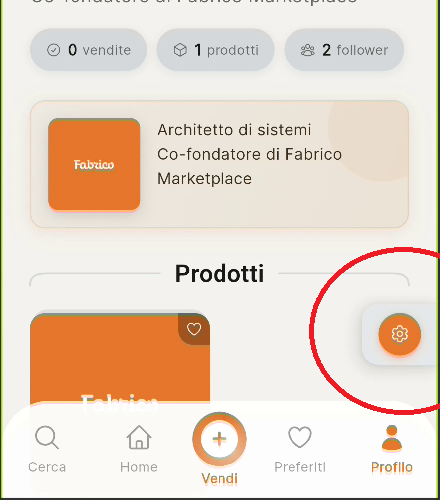
After signing in, go to your profile and tap the icon to open settings.
2
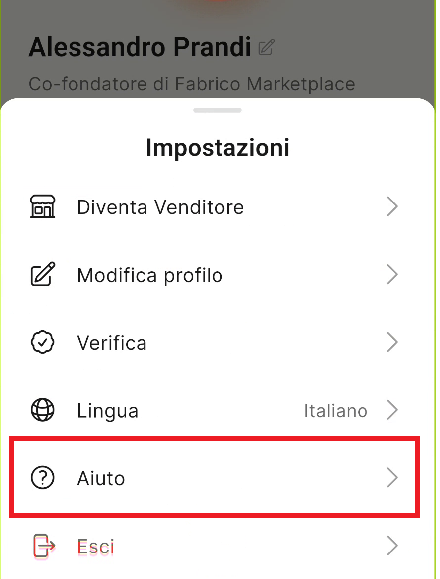
Select "Help" from the main menu.
3
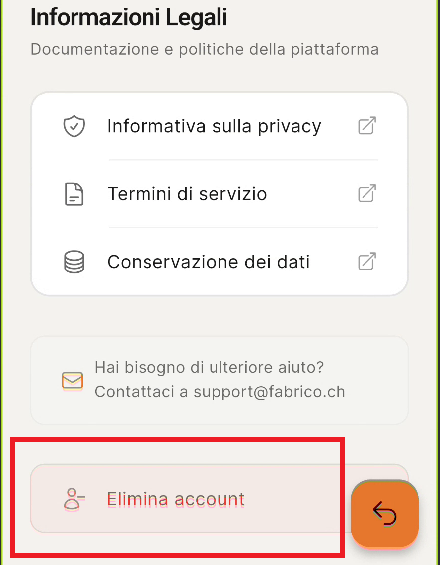
Scroll to the bottom and select "Delete Account".
4
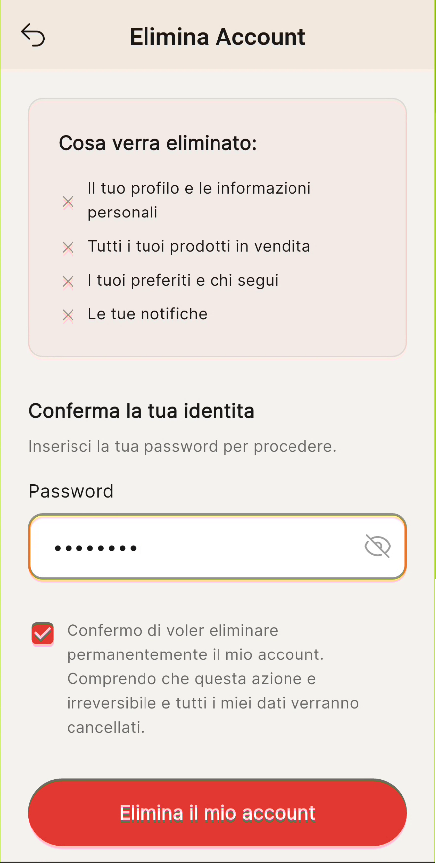
Enter your account password and confirm the permanent deletion of your Fabrico account.
Warning
You cannot delete your account while you have orders in progress. Complete all your orders to be able to close your account.